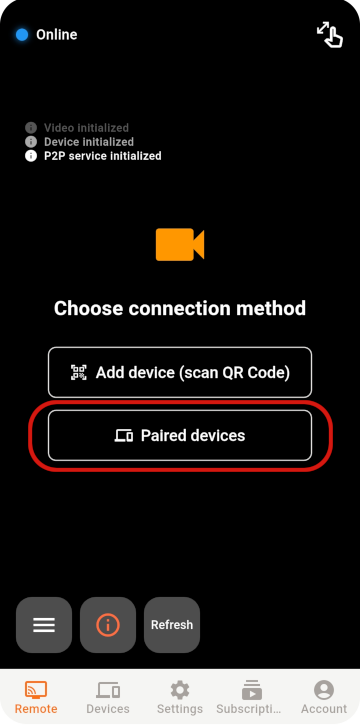
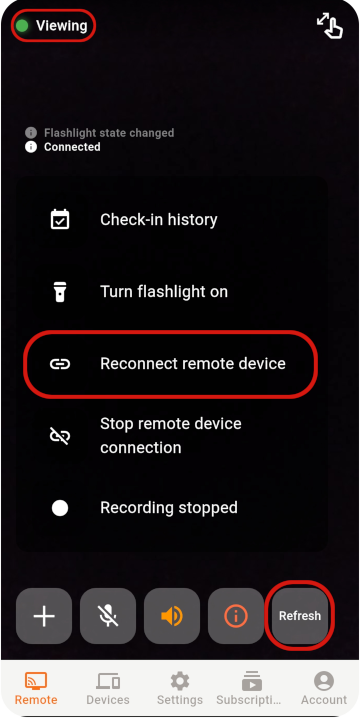
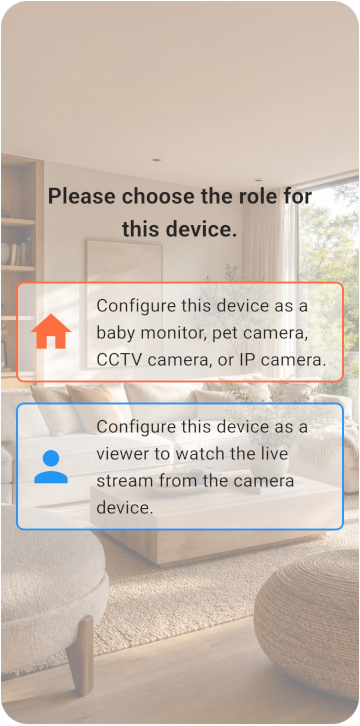
Choose the Viewer and Monitor
İki telefon hazırlayıp kamera veya izleyici modunu seçin.
- İki telefon da internete bağlanabiliyor.
- Monitor telefonu sürekli şarjda kalabiliyor.
- En az 6 GB boş depolama alanı var.
TOMATE CAMERA GUIDE
Biri kamera, diğeri uzaktan izleme için iki telefon hazırlayın. Birkaç dakika içinde başlayın.
BEFORE YOU START
Choose a role for each phone and check the network, camera, and microphone permissions.
İki telefon hazırlayıp kamera veya izleyici modunu seçin.
VIEWER SETUP
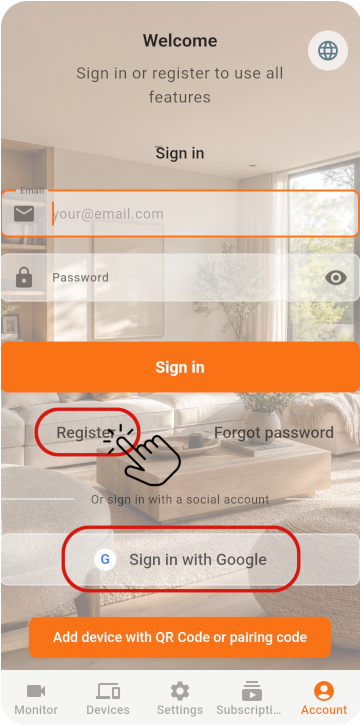
Register the Viewer and generate its pairing QR code.
İlk telefonda Viewer seçeneğini seçin ve QR kodunu almak için bir hesap oluşturun
MONITOR SETUP
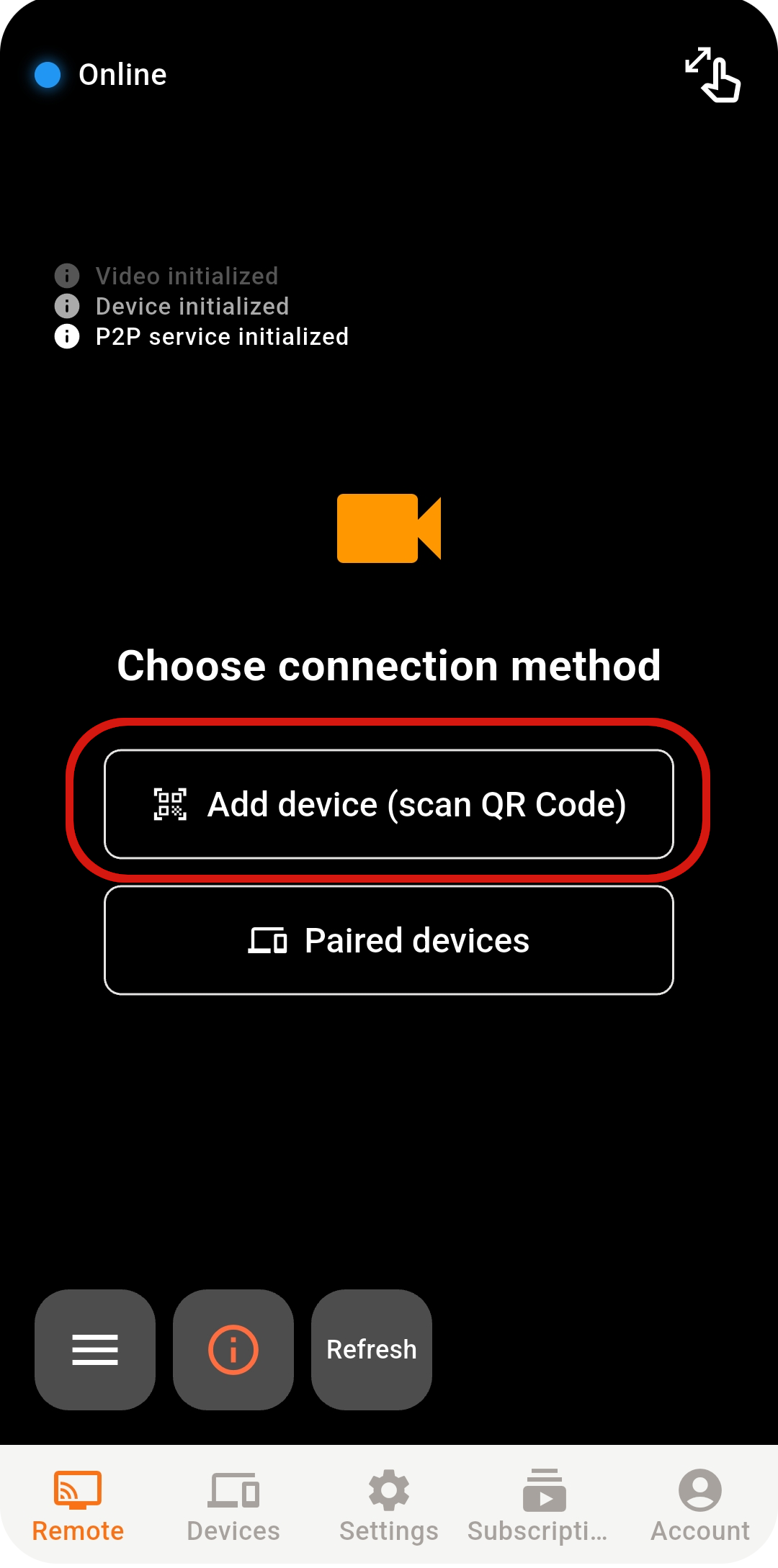
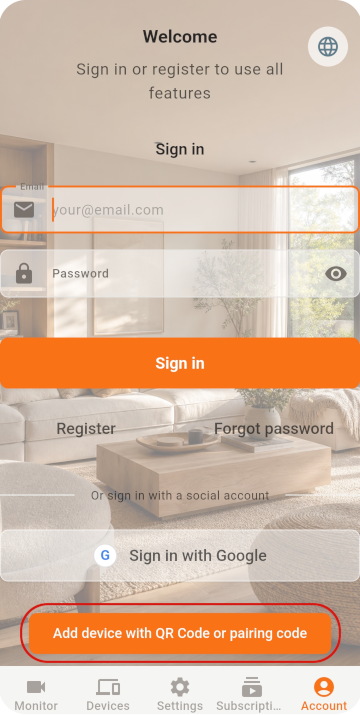
Scan the QR code with the old phone, then check its settings.
İkinci telefonda Monitor seçeneğini seçin ve tarayıcıyı açın
Google / Apple ile doğrudan giriş yapıyorsanız iki telefonda da aynı hesabı seçin
Eşleştirmeyi tamamlamak için QR kodunu tarayın
LIVE VIEW
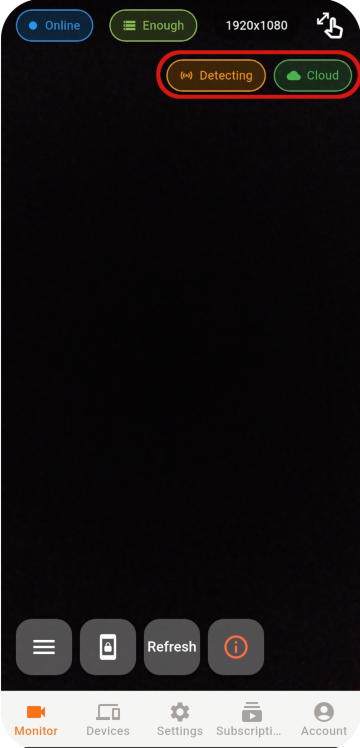
Select an online Monitor from the Viewer to open the live view.
Bağlantı hâlâ kurulamıyorsa ağı, uygulama durumunu ve ağ ortamını kontrol edin.
STABILITY & SECURITY
After setup, check the placement, account, and device security.
Never share your password or pairing QR code, and remove devices you no longer use.
Do not cover a phone that stays plugged in, and check its battery temperature regularly.
Use the latest release for connection, security, and feature improvements.
READY TO GET STARTED?
Explore Tomate Camera use cases, features, and pricing.