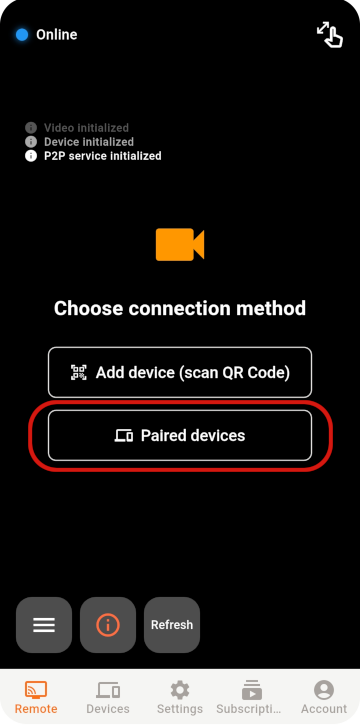
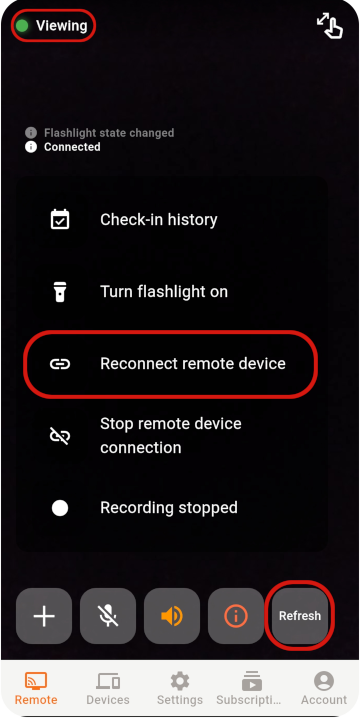
Choose the Viewer and Monitor
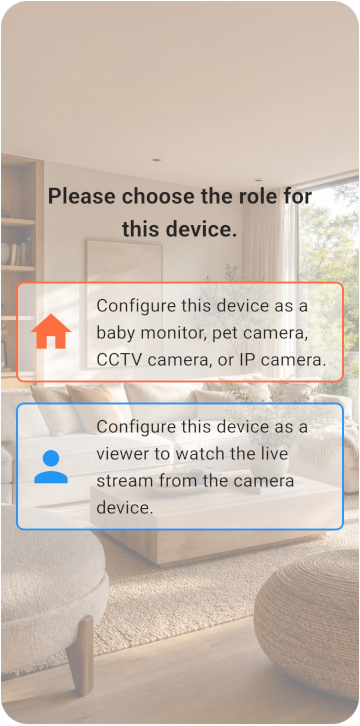
เตรียมโทรศัพท์สองเครื่องแล้วเลือกโหมดกล้องหรือผู้ชม
- โทรศัพท์ทั้งสองเครื่องเชื่อมต่ออินเทอร์เน็ตได้
- โทรศัพท์ Monitor เสียบสายชาร์จไว้ได้ต่อเนื่อง
- มีพื้นที่เก็บข้อมูลว่างอย่างน้อย 6 GB
TOMATE CAMERA GUIDE
เตรียมโทรศัพท์สองเครื่อง เครื่องหนึ่งเป็นกล้อง อีกเครื่องใช้ดูจากระยะไกล เริ่มใช้งานได้ในไม่กี่นาที
BEFORE YOU START
Choose a role for each phone and check the network, camera, and microphone permissions.
เตรียมโทรศัพท์สองเครื่องแล้วเลือกโหมดกล้องหรือผู้ชม
VIEWER SETUP
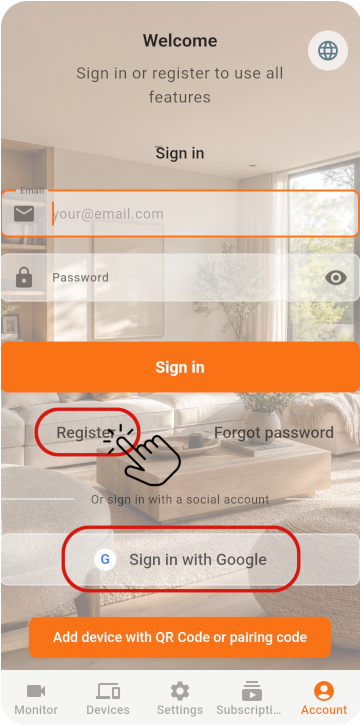
Register the Viewer and generate its pairing QR code.
ในโทรศัพท์เครื่องแรก ให้เลือก Viewer และลงทะเบียนบัญชีเพื่อรับ QR Code
MONITOR SETUP
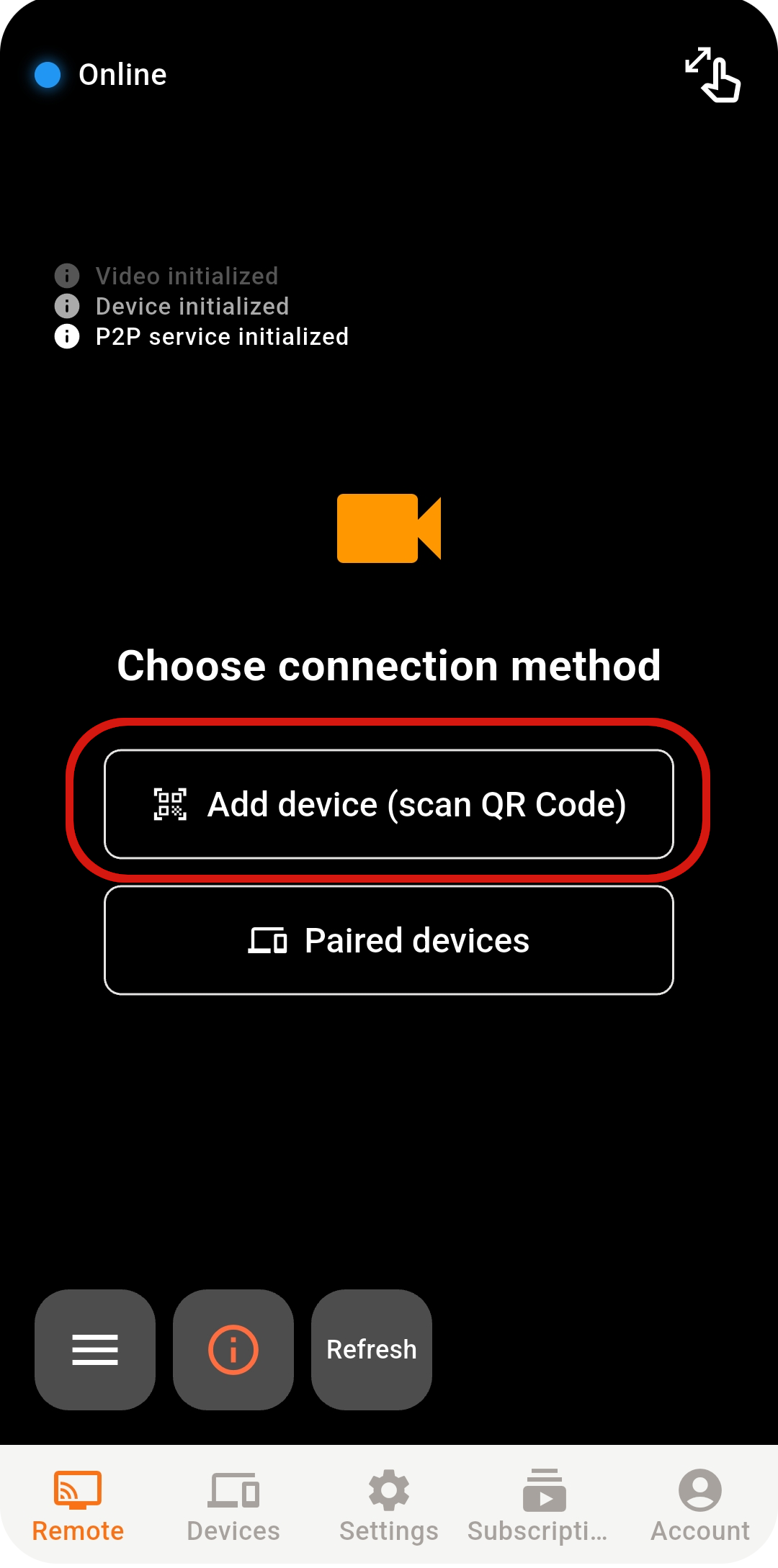
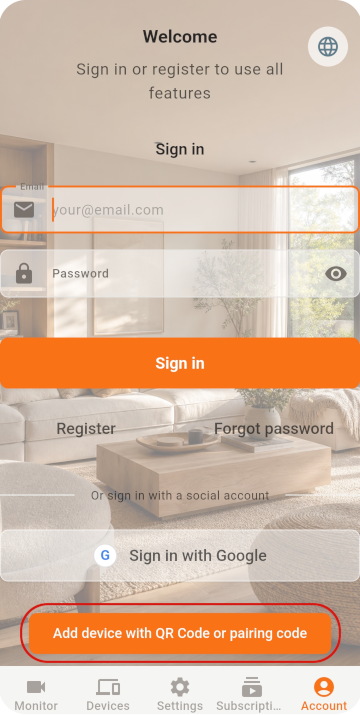
Scan the QR code with the old phone, then check its settings.
ในโทรศัพท์เครื่องที่สอง ให้เลือก Monitor และเปิดเครื่องสแกน
หากเข้าสู่ระบบโดยตรงด้วย Google / Apple โปรดเลือกบัญชีเดียวกันบนโทรศัพท์ทั้งสองเครื่อง
สแกน QR Code เพื่อจับคู่ให้เสร็จสมบูรณ์
LIVE VIEW
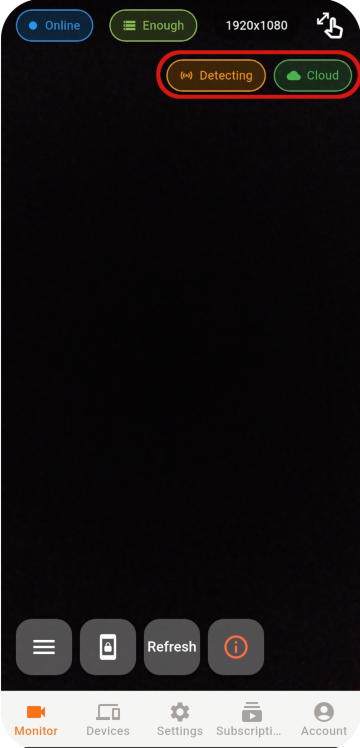
Select an online Monitor from the Viewer to open the live view.
หากยังเชื่อมต่อไม่ได้ ให้ตรวจสอบเครือข่าย สถานะแอป และสภาพแวดล้อมเครือข่าย
STABILITY & SECURITY
After setup, check the placement, account, and device security.
Never share your password or pairing QR code, and remove devices you no longer use.
Do not cover a phone that stays plugged in, and check its battery temperature regularly.
Use the latest release for connection, security, and feature improvements.
READY TO GET STARTED?
Explore Tomate Camera use cases, features, and pricing.