TOMATE CAMERA GUIDE

오래된 휴대폰으로 집을 지켜보세요

카메라용과 원격 보기용 휴대폰 두 대를 준비하세요. 몇 분이면 시작할 수 있습니다.

약 5분휴대폰 2대 필요QR 코드 빠른 페어링
01

BEFORE YOU START

시작하기 전에

Choose a role for each phone and check the network, camera, and microphone permissions.

Step 1

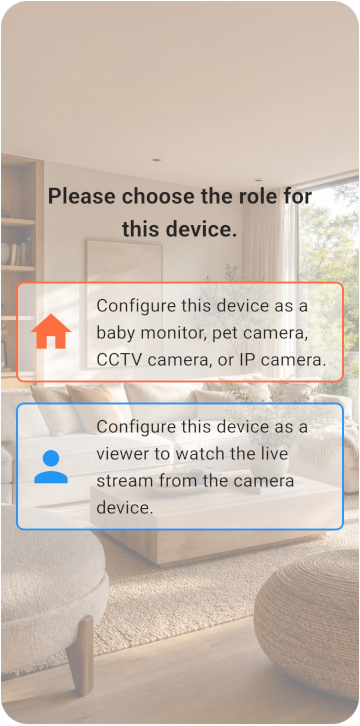
Choose the Viewer and Monitor

휴대폰 두 대를 준비하고 카메라 또는 뷰어 모드를 선택하세요.

  • 두 휴대폰 모두 인터넷에 연결할 수 있습니다.
  • Monitor 휴대폰을 전원에 계속 연결해 둘 수 있습니다.
  • 저장 공간이 6 GB 이상 있습니다.
Choose the Viewer and Monitor
02

VIEWER SETUP

Viewer 설정

Register the Viewer and generate its pairing QR code.

Step 1

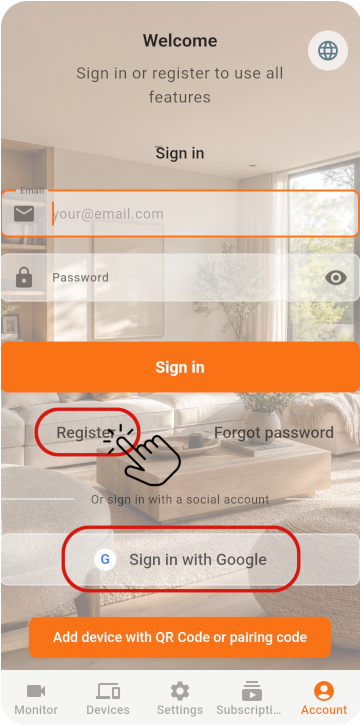
Register the Viewer

첫 번째 휴대폰에서 Viewer를 선택하고 계정을 등록해 QR 코드를 받으세요

  1. 이메일과 비밀번호로 가입한 경우 가입 후 이메일 인증을 완료하세요.
  2. 인증 메일이 스팸 메일함에 들어갈 수 있습니다. Tomate Home Camera에서 온 메일을 확인하세요.
  3. 소셜 계정을 사용하는 경우 Monitor에서도 같은 계정으로 로그인하세요.
Register the Viewer
Step 2

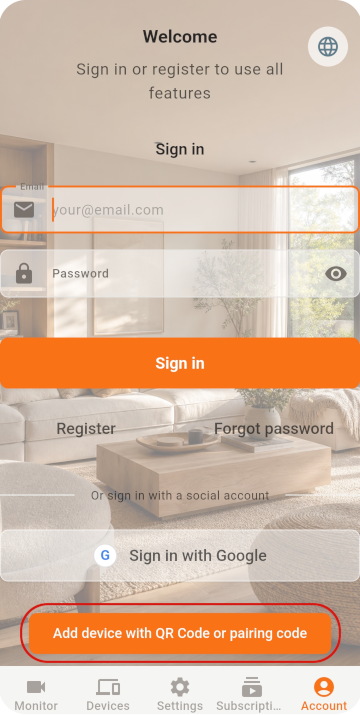
Show the pairing QR code

첫 번째 휴대폰에서 Viewer를 선택하고 계정을 등록해 QR 코드를 받으세요

Show the pairing QR code
03

MONITOR SETUP

Monitor 설정

Scan the QR code with the old phone, then check its settings.

Step 1

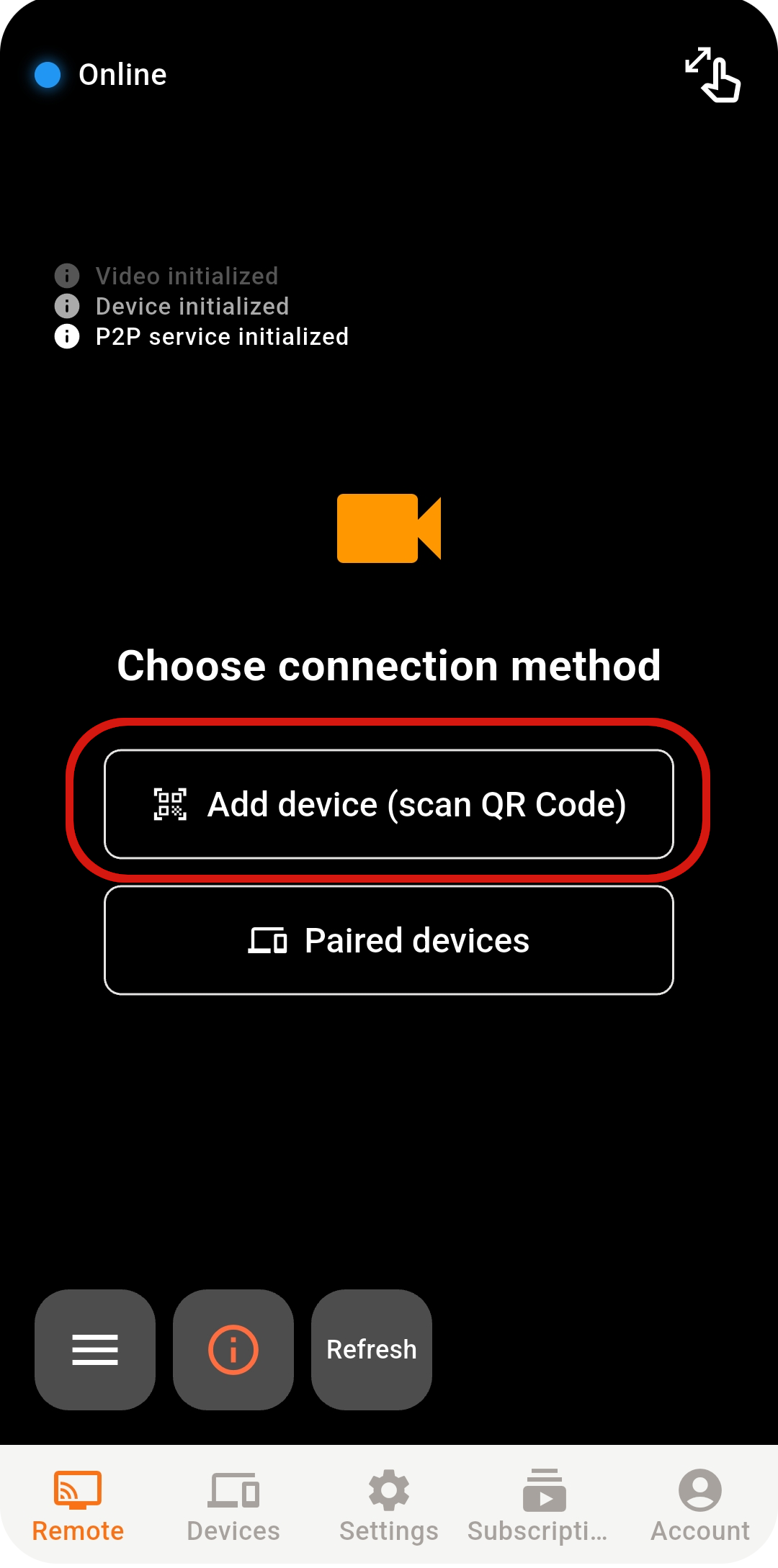
Scan the QR code with the Monitor

두 번째 휴대폰에서 Monitor를 선택하고 스캔 기능을 여세요

Scan the QR code with the Monitor
Step 2

Confirm the sign-in account

Google / Apple로 바로 로그인하는 경우 두 휴대폰에서 동일한 계정을 선택하세요

Step 3

Check Monitor settings

QR 코드를 스캔해 연결을 완료하세요

  1. Continue recording: 녹화를 켜서 실시간 영상을 저장합니다.
  2. Motion recording: 움직임이 감지되면 자동으로 녹화합니다.
  3. Motion snapshot: 움직임이 감지되면 자동으로 스냅샷을 촬영합니다.
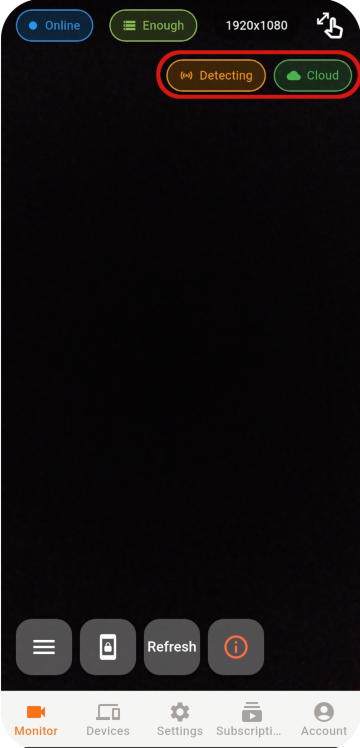
  4. 화면 오른쪽 위에서 움직임 감지와 클라우드 저장이 켜져 있는지 확인하세요.
  5. 저장 공간이 충분한지 확인하세요.
Check Monitor settings
04

LIVE VIEW

원격 보기 시작

Select an online Monitor from the Viewer to open the live view.

Step 1

Select an online device

Select an online Monitor from the Viewer to open the live view.

Select an online device
Step 2

Reconnect if the connection drops

Select an online Monitor from the Viewer to open the live view.

  1. Refresh를 눌러 서비스를 다시 시작하세요.
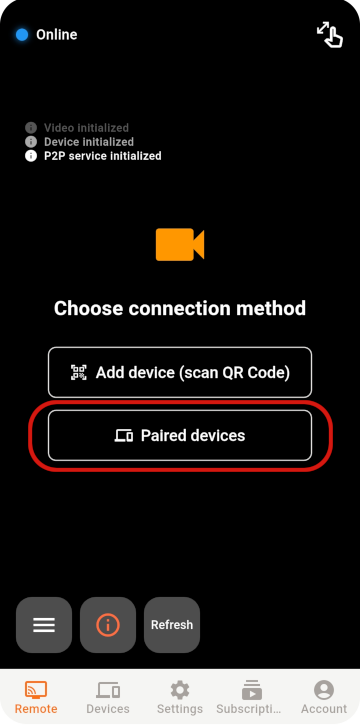
  2. Paired Devices를 열어 Monitor가 온라인인지 확인하세요. 목록에 없으면 Monitor가 오프라인이거나 등록되지 않은 것입니다.
  3. Monitor를 선택해 다시 연결을 시도하세요.
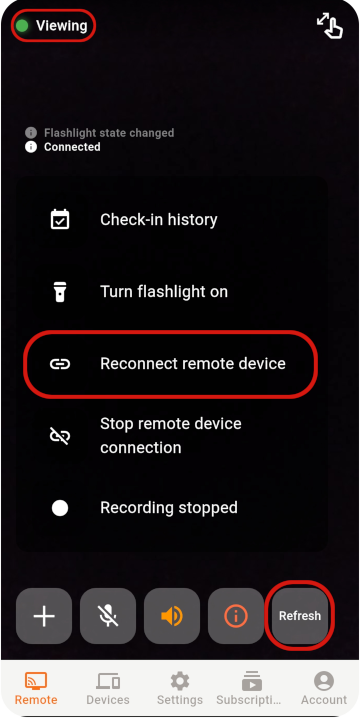
  4. 연결이 불안정하면 Reconnect Remote Device로 같은 Monitor에 다시 연결하세요.
Reconnect if the connection drops
연결에 실패하면

다음 항목을 순서대로 확인하세요

그래도 연결할 수 없다면 네트워크, 앱 상태, 네트워크 환경을 확인하세요.

  • 두 휴대폰 모두 안정적인 인터넷에 연결되어 있는지 확인하세요.
  • Monitor 앱을 열어 두고 절전 모드를 끄세요.
  • Monitor 앱을 전면에 유지하고 전원 버튼이나 홈 버튼을 누르지 마세요.
  • Refresh를 누르면 더 빠르게 다시 연결됩니다. 계속 실패하면 앱을 다시 시작하세요.
  • 기업 네트워크는 방화벽이 엄격할 수 있습니다. 가능하면 더 개방된 네트워크를 사용하세요.
05

STABILITY & SECURITY

안정성 및 보안 설정

After setup, check the placement, account, and device security.

01

Protect your account

Never share your password or pairing QR code, and remove devices you no longer use.

02

Keep the phone ventilated

Do not cover a phone that stays plugged in, and check its battery temperature regularly.

03

Keep the app updated

Use the latest release for connection, security, and feature improvements.

READY TO GET STARTED?

Two phones are all you need to watch over home

Explore Tomate Camera use cases, features, and pricing.

Tomate Camera 알아보기