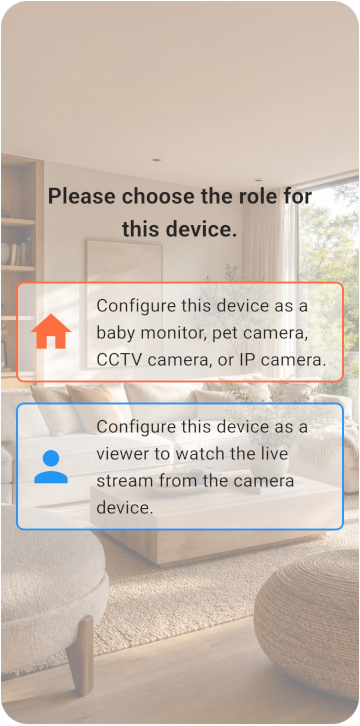
Choose the Viewer and Monitor
スマホを2台用意し、カメラ側と閲覧側を選びます。
- 2台ともインターネットに接続できる
- Monitor側のスマートフォンを電源につないだままにできる
- 6 GB以上の空き容量がある
TOMATE CAMERA GUIDE
カメラ用と遠隔確認用の2台を用意します。数分で使い始められます。
BEFORE YOU START
Choose a role for each phone and check the network, camera, and microphone permissions.
スマホを2台用意し、カメラ側と閲覧側を選びます。
VIEWER SETUP
Register the Viewer and generate its pairing QR code.
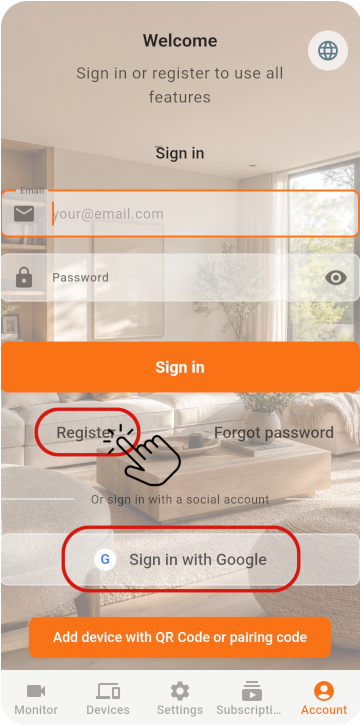
1台目のスマホでViewerを選択し、アカウントを登録してQRコードを取得します
MONITOR SETUP
Scan the QR code with the old phone, then check its settings.
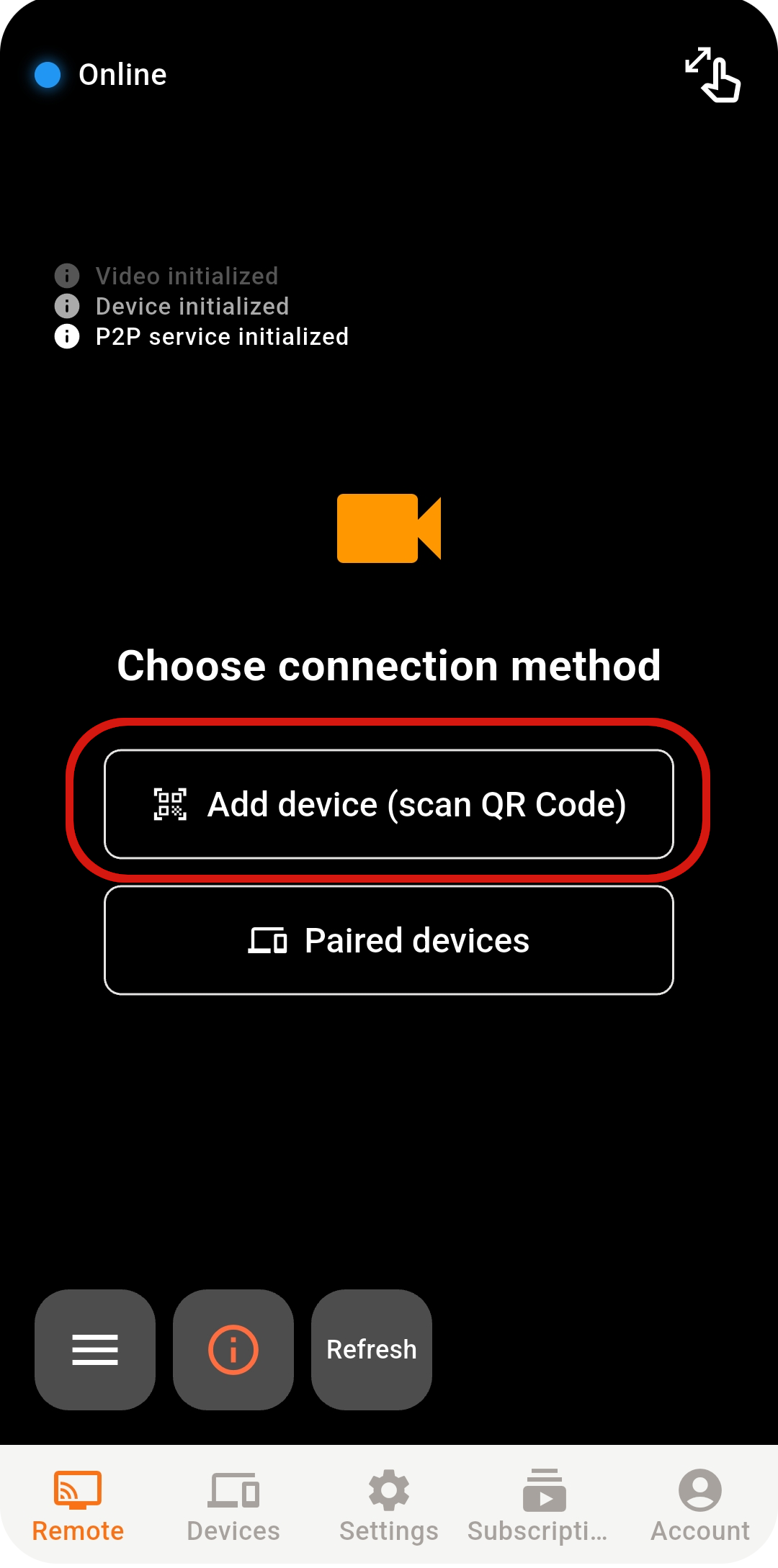
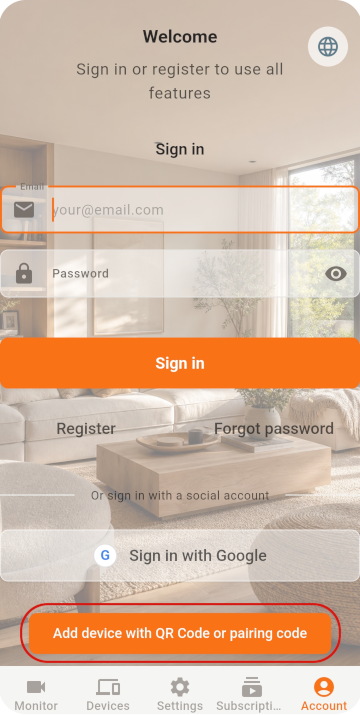
2台目のスマホでMonitorを選択し、スキャン機能を開きます
Google / Appleで直接ログインする場合は、両方のスマホで同じアカウントを選択してください
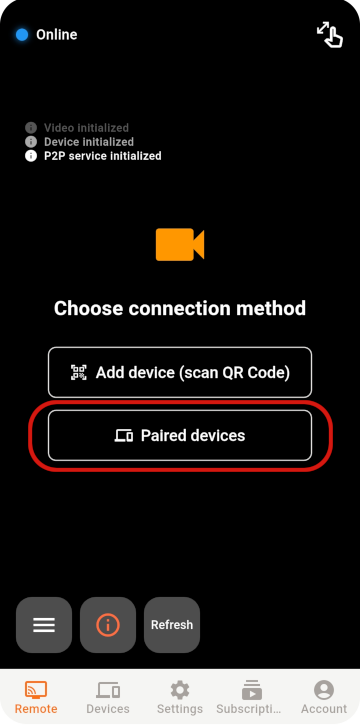
QRコードを読み取ってペアリングを完了します
LIVE VIEW
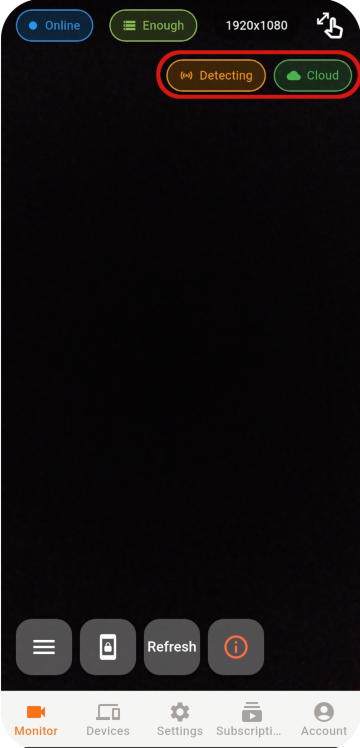
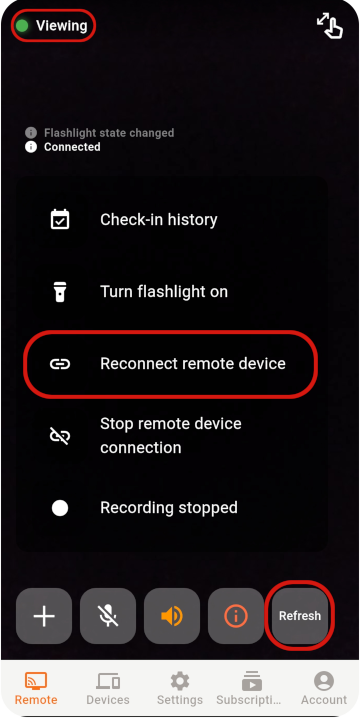
Select an online Monitor from the Viewer to open the live view.
それでも接続できない場合は、ネットワーク、アプリの状態、ネットワーク環境を確認してください。
STABILITY & SECURITY
After setup, check the placement, account, and device security.
Never share your password or pairing QR code, and remove devices you no longer use.
Do not cover a phone that stays plugged in, and check its battery temperature regularly.
Use the latest release for connection, security, and feature improvements.
READY TO GET STARTED?
Explore Tomate Camera use cases, features, and pricing.