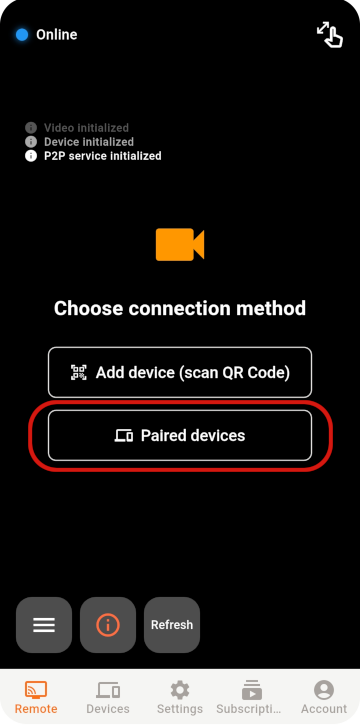
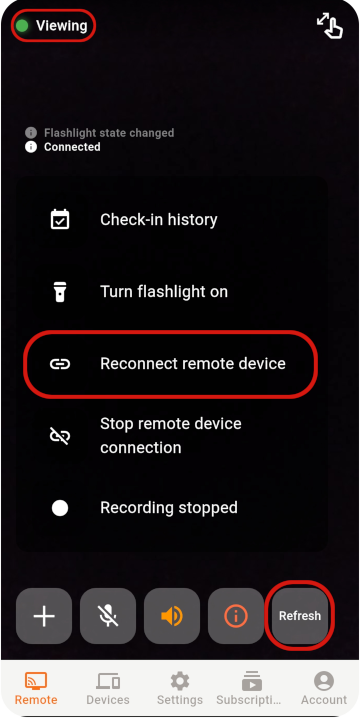
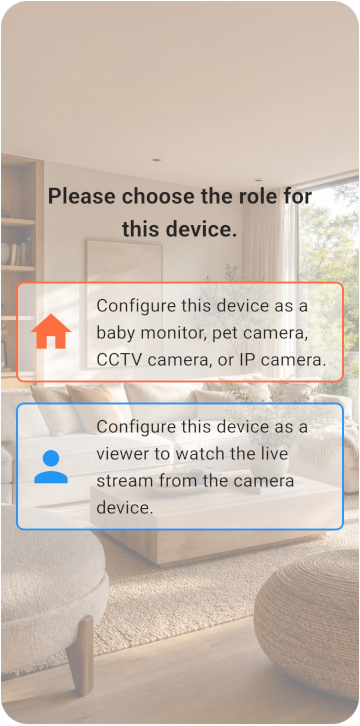
Choose the Viewer and Monitor
Siapkan dua ponsel lalu pilih mode kamera atau penampil.
- Kedua ponsel dapat terhubung ke internet.
- Ponsel Monitor dapat terus terhubung ke listrik.
- Tersedia penyimpanan minimal 6 GB.
TOMATE CAMERA GUIDE
Siapkan dua ponsel: satu sebagai kamera dan satu untuk melihat dari jarak jauh. Mulai dalam beberapa menit.
BEFORE YOU START
Choose a role for each phone and check the network, camera, and microphone permissions.
Siapkan dua ponsel lalu pilih mode kamera atau penampil.
VIEWER SETUP
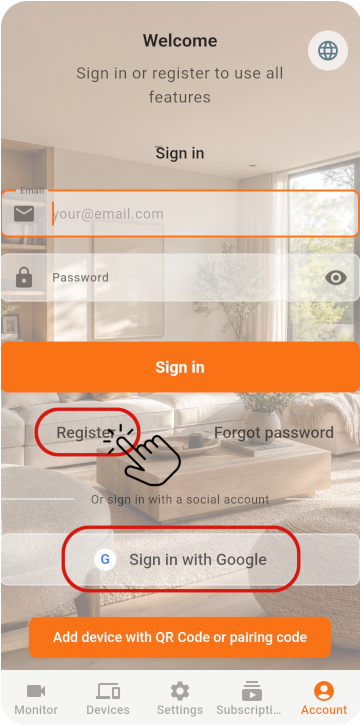
Register the Viewer and generate its pairing QR code.
Di ponsel pertama, pilih Viewer dan daftarkan akun untuk mendapatkan kode QR
MONITOR SETUP
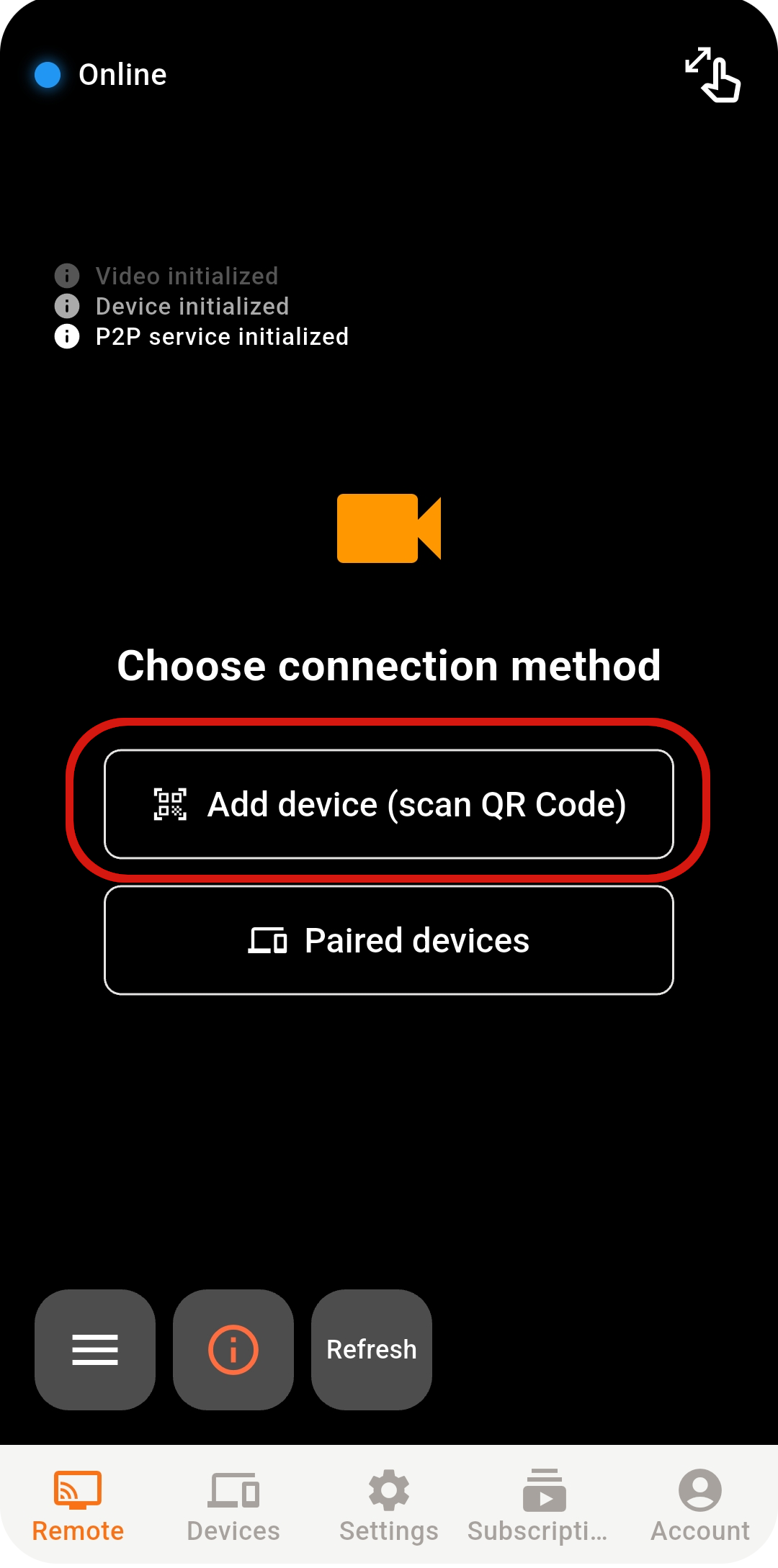
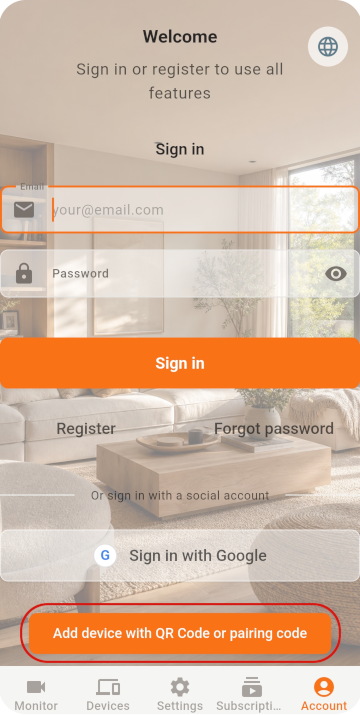
Scan the QR code with the old phone, then check its settings.
Di ponsel kedua, pilih Monitor dan buka pemindai
Jika langsung masuk dengan Google / Apple, pastikan menggunakan akun yang sama di kedua ponsel
Pindai kode QR untuk menyelesaikan pemasangan
LIVE VIEW
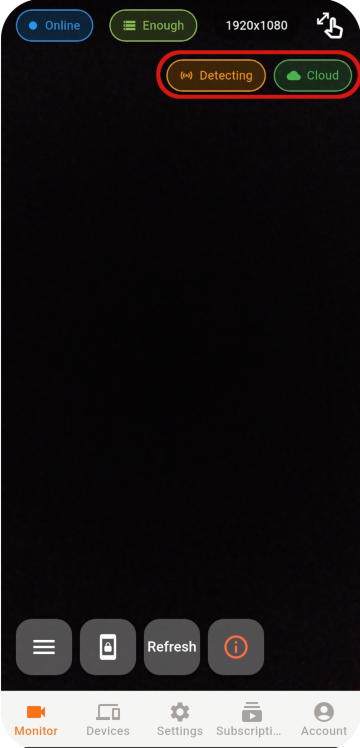
Select an online Monitor from the Viewer to open the live view.
Jika koneksi tetap tidak dapat dibuat, periksa jaringan, status aplikasi, dan lingkungan jaringan.
STABILITY & SECURITY
After setup, check the placement, account, and device security.
Never share your password or pairing QR code, and remove devices you no longer use.
Do not cover a phone that stays plugged in, and check its battery temperature regularly.
Use the latest release for connection, security, and feature improvements.
READY TO GET STARTED?
Explore Tomate Camera use cases, features, and pricing.