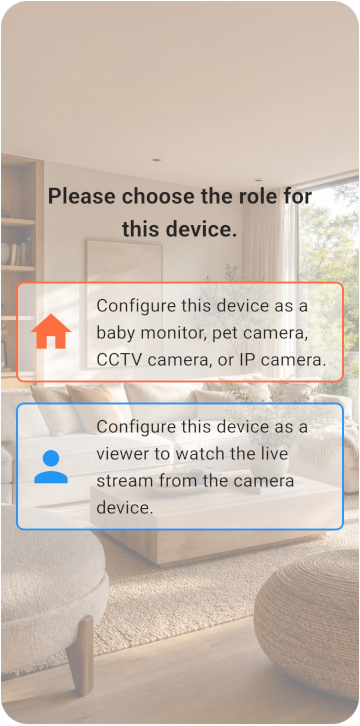
Choose the Viewer and Monitor
Préparez deux téléphones et choisissez le mode caméra ou visionneuse.
- Les deux téléphones peuvent se connecter à internet.
- Le téléphone Monitor peut rester branché au secteur.
- Au moins 6 Go de stockage sont disponibles.
TOMATE CAMERA GUIDE
Préparez deux téléphones : un comme caméra et un pour la visualisation à distance. Commencez en quelques minutes.
BEFORE YOU START
Choose a role for each phone and check the network, camera, and microphone permissions.
Préparez deux téléphones et choisissez le mode caméra ou visionneuse.
VIEWER SETUP
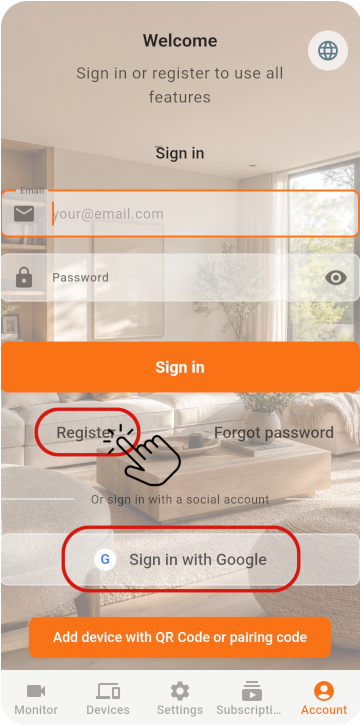
Register the Viewer and generate its pairing QR code.
Sur le premier téléphone, sélectionnez Viewer et créez un compte pour obtenir un QR code
MONITOR SETUP
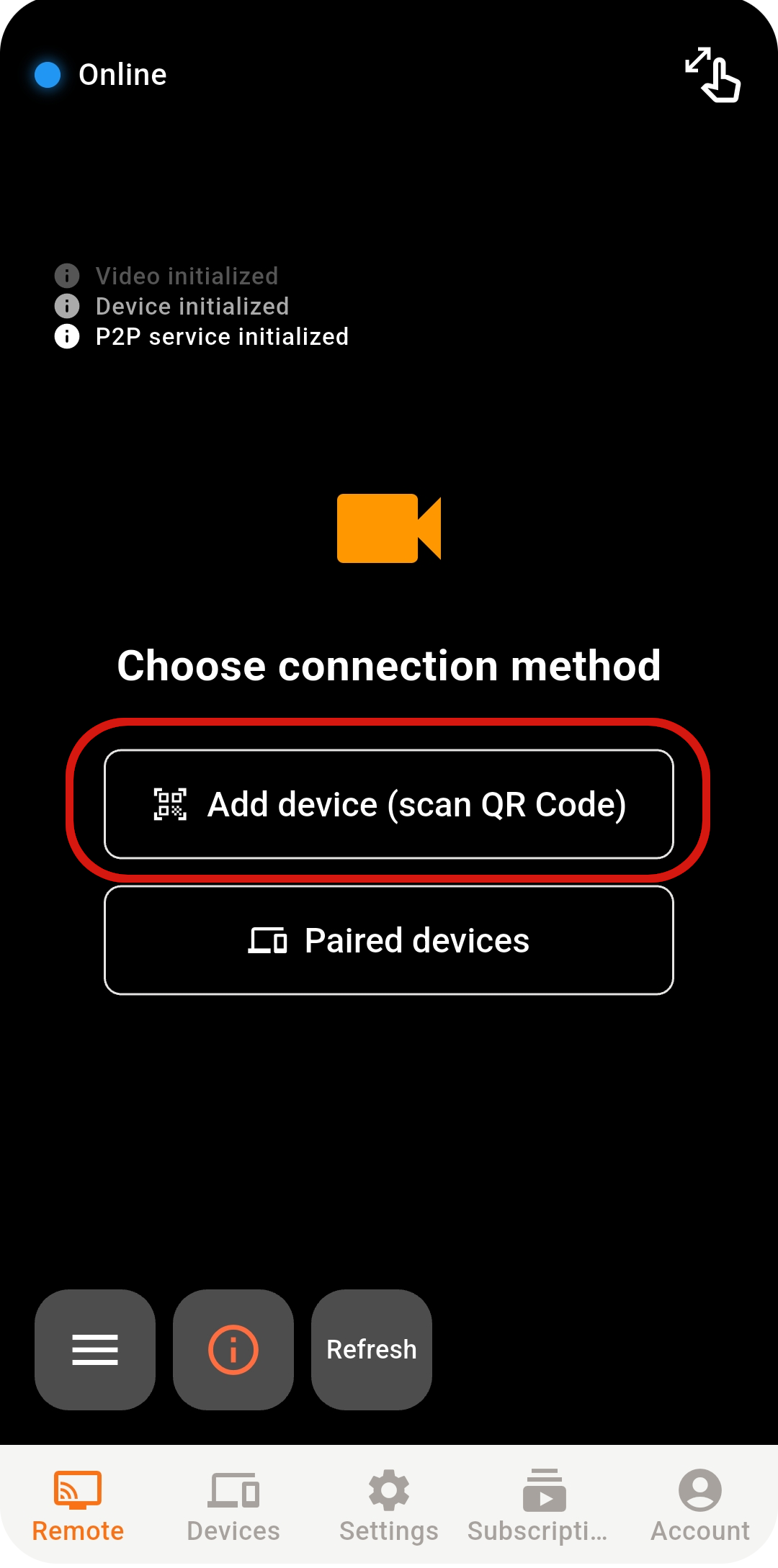
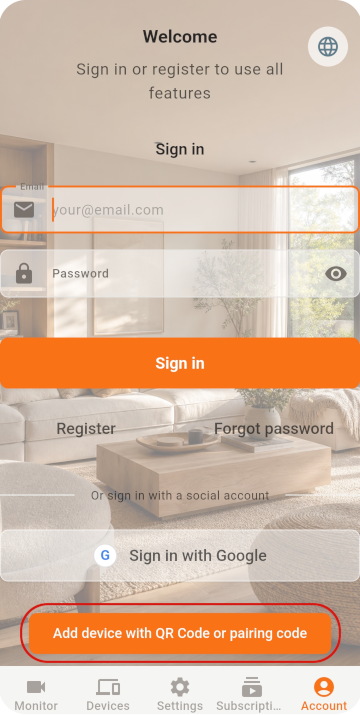
Scan the QR code with the old phone, then check its settings.
Sur le second téléphone, sélectionnez Monitor et ouvrez le scanner
Si vous vous connectez directement avec Google / Apple, utilisez le même compte sur les deux téléphones
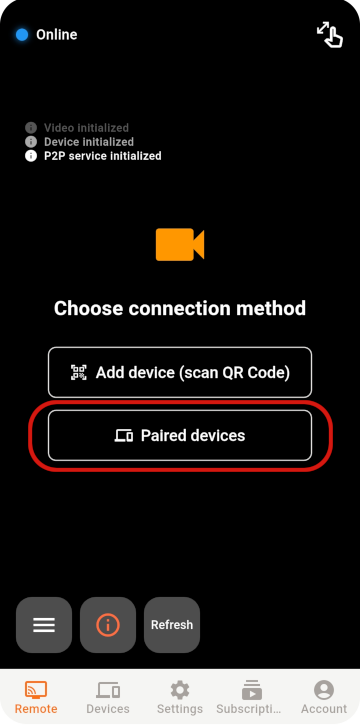
Scannez le QR code pour terminer l’association
LIVE VIEW
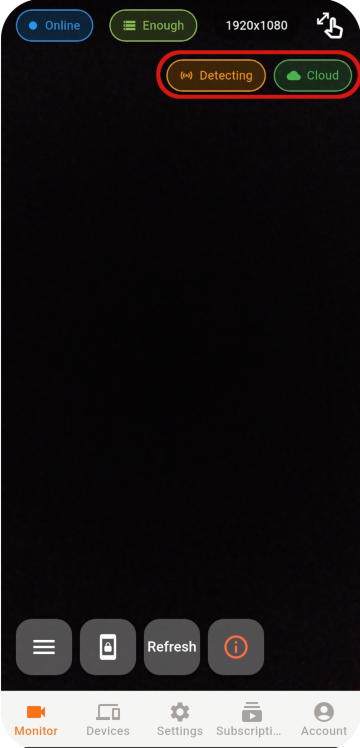
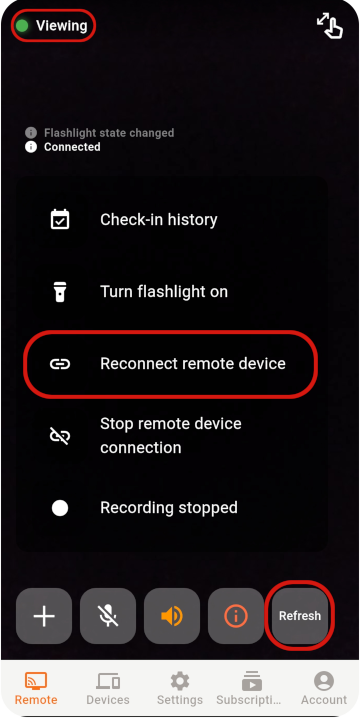
Select an online Monitor from the Viewer to open the live view.
Si la connexion reste impossible, vérifiez le réseau, l’état de l’application et l’environnement réseau.
STABILITY & SECURITY
After setup, check the placement, account, and device security.
Never share your password or pairing QR code, and remove devices you no longer use.
Do not cover a phone that stays plugged in, and check its battery temperature regularly.
Use the latest release for connection, security, and feature improvements.
READY TO GET STARTED?
Explore Tomate Camera use cases, features, and pricing.