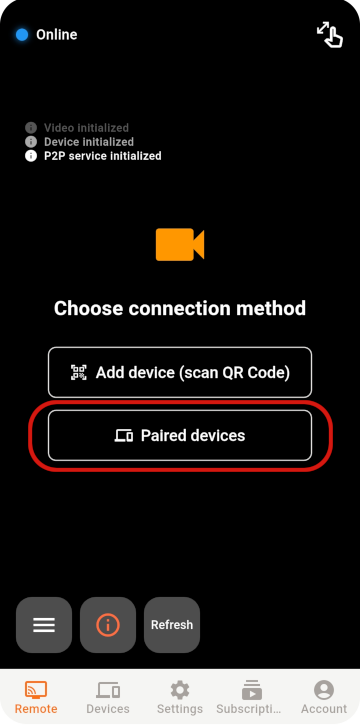
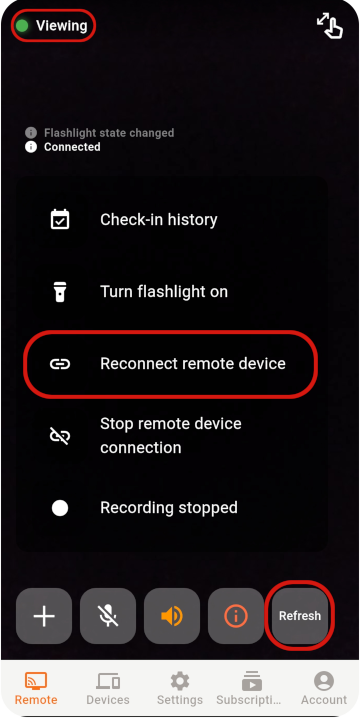
Choose the Viewer and Monitor
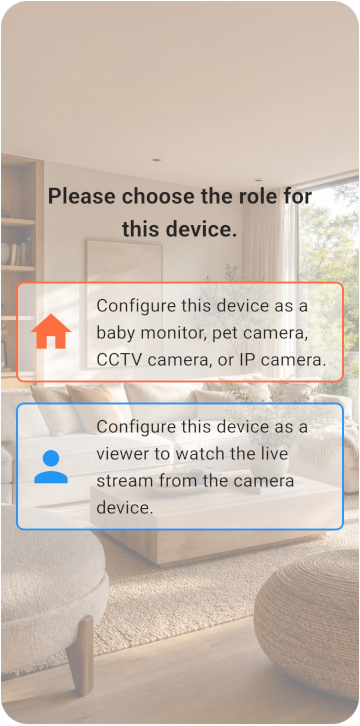
جهّز هاتفين واختر وضع الكاميرا أو المشاهدة.
- يمكن للهاتفين الاتصال بالإنترنت.
- يمكن إبقاء هاتف Monitor متصلًا بالكهرباء.
- تتوفر مساحة تخزين لا تقل عن 6 جيجابايت.
TOMATE CAMERA GUIDE
جهّز هاتفين: أحدهما كاميرا والآخر للمشاهدة عن بُعد. ابدأ خلال دقائق.
BEFORE YOU START
Choose a role for each phone and check the network, camera, and microphone permissions.
جهّز هاتفين واختر وضع الكاميرا أو المشاهدة.
VIEWER SETUP
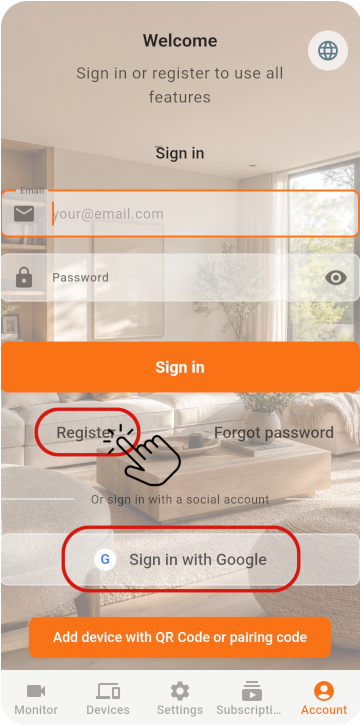
Register the Viewer and generate its pairing QR code.
على الهاتف الأول، اختر Viewer وسجّل حسابًا للحصول على رمز QR
MONITOR SETUP
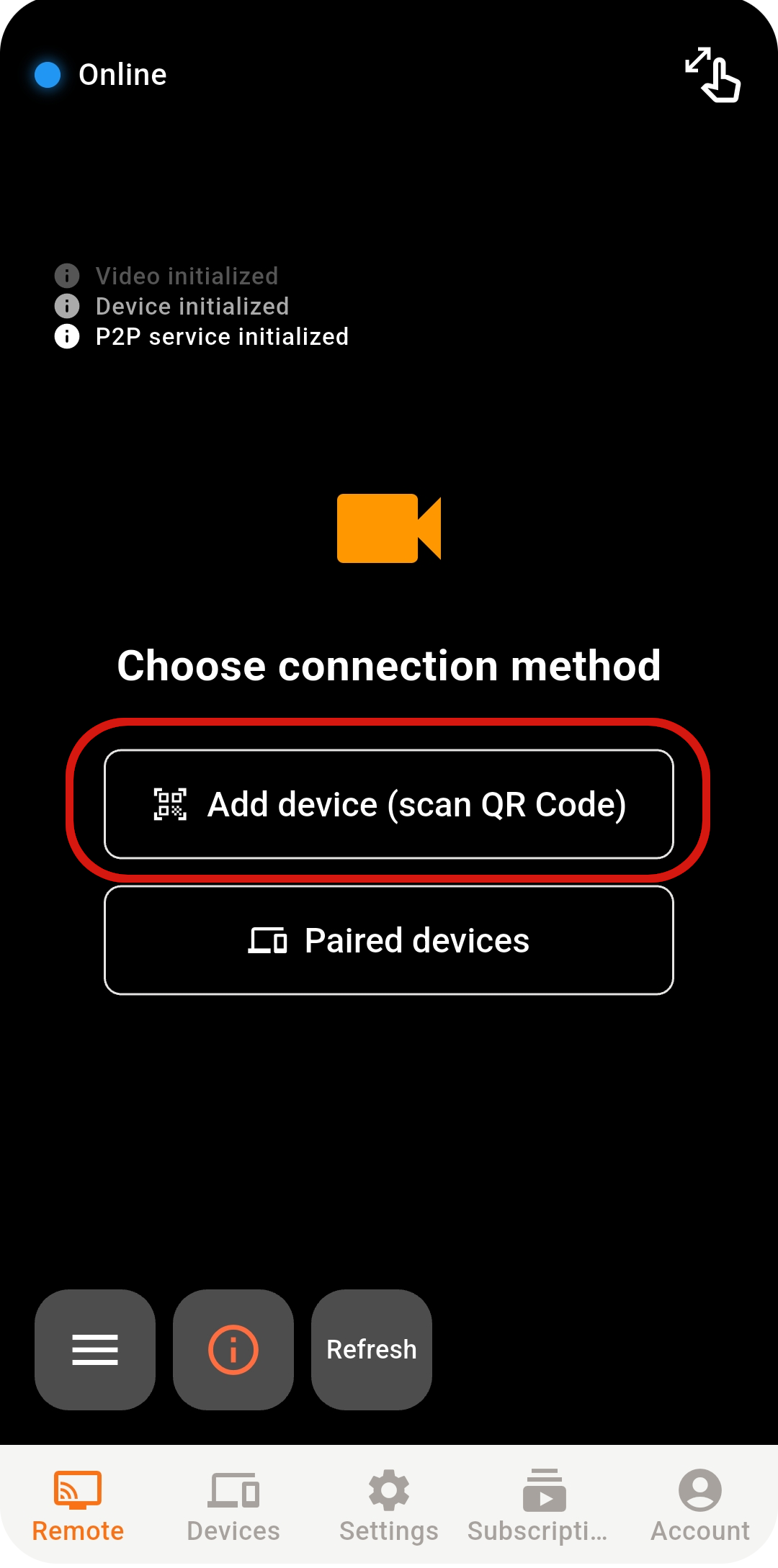
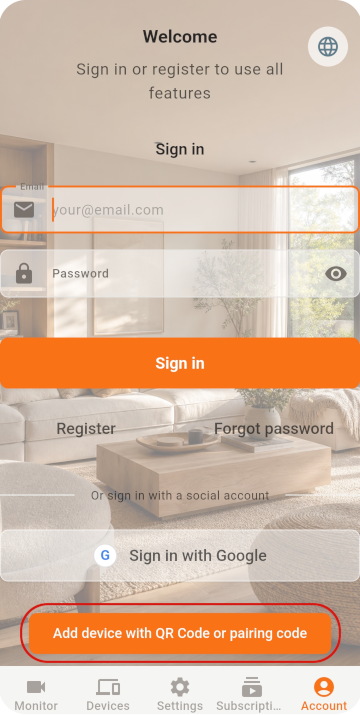
Scan the QR code with the old phone, then check its settings.
على الهاتف الثاني، اختر Monitor وافتح الماسح الضوئي
إذا سجّلت الدخول مباشرةً باستخدام Google / Apple، فتأكد من اختيار الحساب نفسه على الهاتفين
امسح رمز QR لإكمال الاقتران
LIVE VIEW
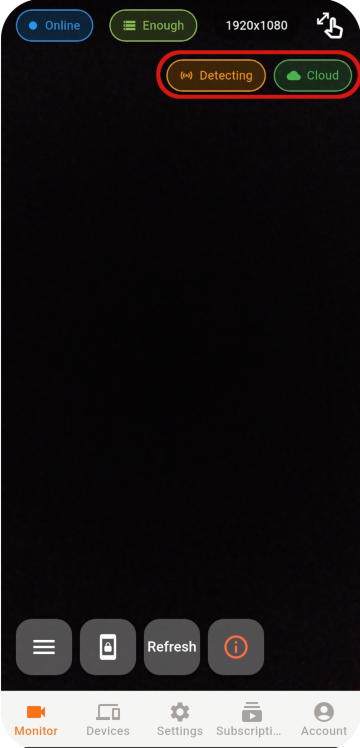
Select an online Monitor from the Viewer to open the live view.
إذا تعذر إنشاء الاتصال، تحقق من الشبكة وحالة التطبيق وبيئة الشبكة.
STABILITY & SECURITY
After setup, check the placement, account, and device security.
Never share your password or pairing QR code, and remove devices you no longer use.
Do not cover a phone that stays plugged in, and check its battery temperature regularly.
Use the latest release for connection, security, and feature improvements.
READY TO GET STARTED?
Explore Tomate Camera use cases, features, and pricing.